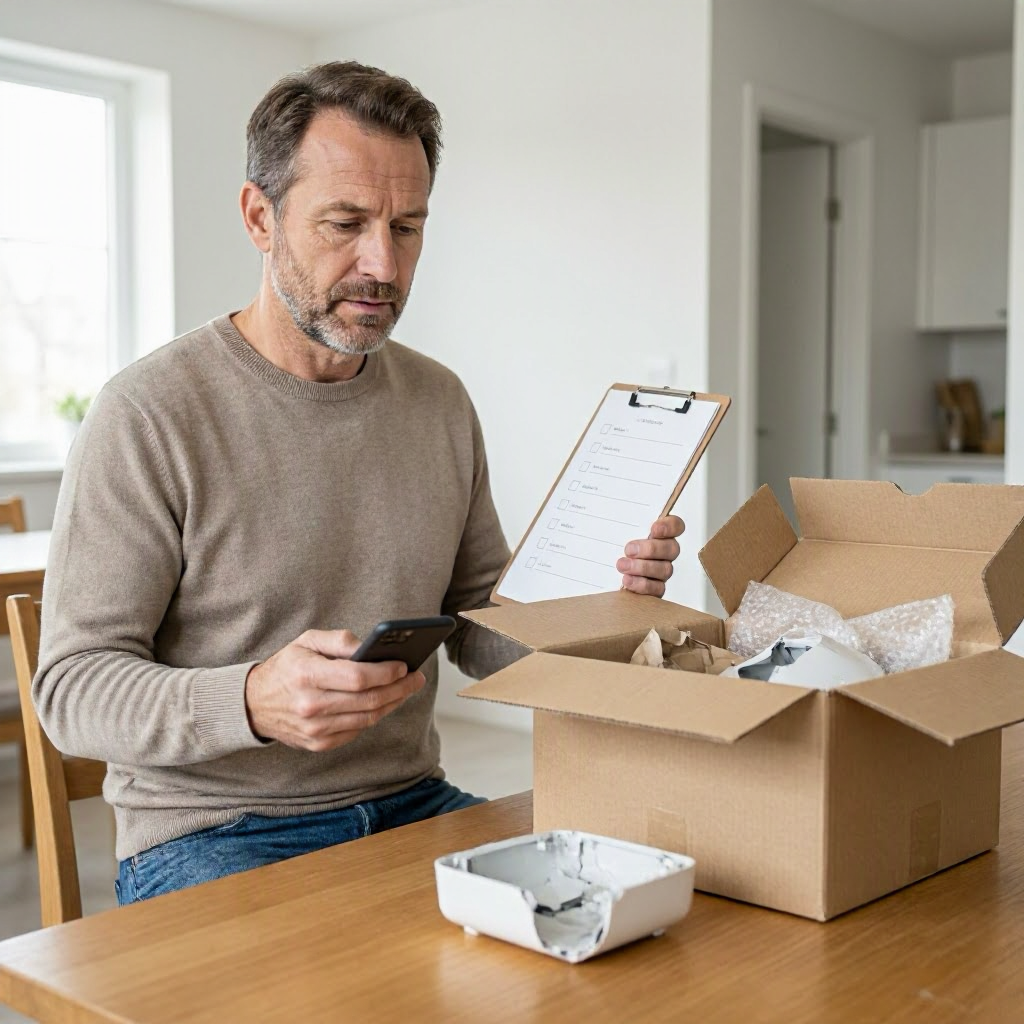
Consumer rights checklist when a product arrived damaged
Understanding Your Rights When a Product Arrives Damaged
Receiving a damaged product from an online order can be frustrating, especially if you were counting on it for daily use or a special occasion. In the United States, federal and state consumer protection laws, along with retailer and marketplace policies, provide options for refunds, replacements, or returns. Your first goal is to act quickly to document the issue and follow the right steps, as time limits often apply.
This checklist guides you through what to do next. Policies vary by seller, marketplace, payment method, and state, so always check your specific order details and official sources. This is general information, not legal or financial advice.
Step 1: Stop and Inspect the Package Safely
Before opening or discarding anything, pause to assess the situation. Handling a damaged item incorrectly can weaken your case later.
- Do not throw away the packaging. Keep the original box, bubble wrap, inserts, and any shipping labels intact. These show if damage happened in transit.
- Check for hazards. If the item involves liquids, batteries, electronics, or sharp edges, inspect carefully to avoid injury. For potential safety issues like recalled products, visit the Consumer Product Safety Commission at cpsc.gov/Recalls.
- Verify delivery details. Look at your order confirmation email, tracking number, and any delivery photos from the carrier. Note if the package appears dropped, crushed, or wet upon arrival.
Take photos immediately. Use your phone to capture:
- The outer box from multiple angles, including labels and barcodes.
- Any damage to the packaging.
- The item itself, showing dents, cracks, scratches, or broken parts.
- Unboxing process if safe.
Timestamp these photos by including a clock or calendar in the frame, or note the date and time in a log.
Step 2: Review Your Order and Policies Right Away
Gather your records to understand your options. Most online sellers and marketplaces have specific rules for damaged goods.
- Locate key documents:
- Order confirmation and receipt.
- Seller or marketplace return/refund policy (found on the product page, order details, or help center).
- Shipping details and carrier information.
- Payment statement showing the charge.
- Check the return window. Many retailers offer 30 days, but it varies. For example, Amazon or Walmart might have extended policies, but confirm in your account.
- Note the seller type: Direct from retailer (like Target.com), marketplace third-party seller (like on eBay), or dropshipper. Marketplace buyer protection, such as Amazon's A-to-z Guarantee, may apply but requires following their process.
Log into your account on the official website or app. Screenshot the product listing, description, price, and any "as-new" claims. Compare to what arrived.
| Initial Documentation Checklist | What to Capture | Why It Matters |
|---|---|---|
| Outer packaging photos | All sides, labels, damage | Proves transit issues |
| Item photos | Damage from every angle | Shows product condition |
| Tracking screenshots | Status history, delivery notes | Timeline evidence |
| Order confirmation | Date, item details, total paid | Verifies expectations |
| Policy screenshots | Return window, process | Supports your claim |
Step 3: Contact the Seller or Marketplace First
Resolving with the seller is usually the fastest path and required before escalating. Use official channels only.
- Find the right contact method: Through the marketplace app (preferred for records), order page "contact seller" button, or official customer service chat/email. Avoid phone unless listed on their verified site.
- What to say in your message: Be clear, polite, and factual. Include order number, tracking, and attach photos.
Sample message to seller: ``` Subject: Damaged Item Received - Order #123456789
Hi, I received my order on [date] (tracking # [number]). The [product name] arrived damaged: [brief description]. I've attached photos of the packaging and item.
I'd like a [replacement/refund/return label]. Please let me know the next steps.
Thanks, [Your Name] ```
- Request specifics: Ask for a prepaid return label, full refund to original payment method, or free replacement. Get written confirmation of their response.
- Timeline: Follow up in 48 hours if no reply. Save all chats, emails, and confirmation numbers.
If it's a marketplace like eBay or Amazon, use their messaging system. Do not switch to personal email, text, or external payment.
Step 4: Involve the Shipping Carrier if Needed
Damage often occurs during transit. Carriers like USPS, UPS, FedEx, or UPS have claim processes.
- When to contact: If packaging shows clear shipping damage and the seller directs you there, or if no seller response.
- How to file: Go to the carrier's official website (usps.com, ups.com, fedex.com). Enter tracking number and upload photos.
- What they need: Proof of value (receipt), photos, and delivery confirmation. Claims must usually file within 60 days, but check their site.
Document the claim number and save updates. Carriers may refund the seller, who then handles your issue.
Step 5: Request a Return or Refund Through Official Channels
If the seller agrees, follow their instructions precisely.
- Prepare the return:
- Repack in original packaging if possible.
- Print any provided label.
- Drop off at approved location (post office, UPS store) and get a receipt.
- Track the return: Use the label's tracking number. Screenshot shipment confirmation.
- Monitor refund: Check your bank or card statement 3-10 business days after receipt. Refunds go to original payment method.
If denied, ask for written reasons and policy reference.
Step 6: Escalate to Marketplace Dispute or Payment Provider
No resolution? Next steps depend on your purchase method.
Marketplace Dispute
- Log into your account and open a case under "order issues" or "damaged item."
- Upload all documentation.
- Marketplaces often side with buyers if proof is strong, but rules vary.
Payment Disputes and Chargebacks
Credit cards offer strong protections under the Fair Credit Billing Act. Debit and payment apps like PayPal have processes too.
- Contact your card issuer or bank: Call the number on back of card or app. Explain "item not as described" or "damaged goods."
- Timeline: Usually 60 days from statement date, but act fast.
- Prepare proof: Transaction details, photos, seller messages, tracking.
Chargeback checklist: 1. Tried seller resolution (keep records). 2. Gather all docs. 3. Submit dispute via bank app/portal. 4. Respond to any issuer requests.
| Escalation Option | When to Use | Key Documents Needed |
|---|---|---|
| Marketplace claim | Seller unresponsive | Photos, tracking, messages |
| Credit card chargeback | No refund after 30 days | Receipt, dispute timeline |
| Debit/PayPal dispute | Payment app purchase | Account statements, proof |
| Bank transfer/gift card | Last resort | All communications |
Note: Chargebacks aren't guaranteed and may affect seller accounts. Your bank or card issuer has its own process.
Step 7: Know When to File a Consumer Complaint
If all else fails and the amount is significant (e.g., over $100), consider official help.
- FTC: Report scams or unfair practices at reportfraud.ftc.gov or consumer.ftc.gov. Useful for patterns.
- CFPB: For payment issues, file at consumerfinance.gov/complaint.
- State resources: Contact your state attorney general or consumer protection office (search "[state] attorney general consumer"). They mediate disputes.
- Better Business Bureau: bbb.org for non-binding complaints.
Keep complaint numbers and responses. These steps build a record but don't guarantee recovery.
Special Cases: Safety, High-Value, or Repeated Issues
- Safety concerns: Stop using immediately. Report to CPSC at cpsc.gov if applicable. Photograph for manufacturer warranty claims too.
- High-value items (e.g., electronics): Check manufacturer warranty separately via their official site.
- Insurance: If you have shipment protection (e.g., Route app), file there.
- Multiple damages: Pattern? Report seller via marketplace tools.
For students buying dorm gear or seniors ordering mobility aids, prioritize documentation as these items may have restocking fees or health implications.
Preventing Damaged Deliveries in Future Orders
Learn from this to shop safer.
- Choose sellers with high ratings and return policies.
- Opt for tracked shipping with signature required.
- Buy from trusted marketplaces with buyer protection.
- Use credit cards for purchases over $50.
- Inspect packages at delivery when possible.
Verify sites: Hover over links, check HTTPS, read reviews on trusted sites like BBB.
Final Documentation Log Template
Maintain a simple record:
- Date of delivery:
- Order #:
- Photos filed: [list or folder name]
- Seller contact date/response:
- Carrier claim #:
- Payment dispute #:
- Notes:
This log strengthens any escalation. Policies can vary, so check the seller’s official policy and your order records each time.
By following this checklist, you position yourself for the best outcome. Stay organized, use official channels, and protect your payment info throughout. If issues persist, consult your bank or state consumer office for tailored guidance.

About the TDL Expert Panel
TDL Expert Panel · TheDigitalLife Editorial Team
TDL Expert Panel is the editorial team behind TheDigitalLife. The team researches, reviews, and creates practical guides to help everyday readers make better decisions about home repair costs, refunds, AI tools, digital safety, productivity, and useful online resources. Each guide is written to be clear, useful, and easy to understand.