TrendingHome repair refund policy updates · Amazon Prime hidden charges · Best free AI tools · New phishing scam alerts · Water heater replacement cost guide  ·  Home repair refund policy updates · Amazon Prime hidden charges · Best free AI tools · New phishing scam alerts · Water heater replacement cost guide
    Section

    Digital Safety

    Most people do not get hacked — they get tricked. This section covers the everyday digital safety basics: how to spot phishing and scam messages, how to lock down your email and bank accounts, what to do if your card or password leaks, and how to keep kids and older relatives safer online. Practical, calm, jargon-free — built around the few habits that actually prevent the most common attacks.

    What you'll find here

    Subtopics covered in this hub

    Account security

    Strong passwords, 2FA, recovery options.

    Scam spotting

    SMS, email, WhatsApp, fake calls.

    Banking & UPI

    Card freezes, UPI safety, refund attempts.

    Privacy basics

    Phone permissions, browser hygiene.

    Family safety

    Kids, teens, elderly relatives.

    After a breach

    What to do if data leaks.

    Latest in Digital Safety

    All articles →
    How to Lock Down Your Online Accounts After a Data Breach

    How to Lock Down Your Online Accounts After a Data Breach

    Practical U.S. guide to locking down online accounts after a data breach. Immediate steps: change passwords, freeze credit, document evidence, report incidents, recover funds, and protect identity.
    Fake Court Summons Email Scam: How to Check Safely

    Fake Court Summons Email Scam: How to Check Safely

    A fake court summons email scam can feel urgent and frightening. This guide provides practical, immediate steps to verify the scam safely, protect your accounts and identity, and report it using official channels to prevent further harm.

    Online Blackmail Scam: How to Report and Protect Yourself

    Online Blackmail Scam: How to Report and Protect Yourself

    US guide to online blackmail scams: immediate actions, proof checklists, reports to IC3/FTC/police, account locks, identity protection, and scam recovery steps.

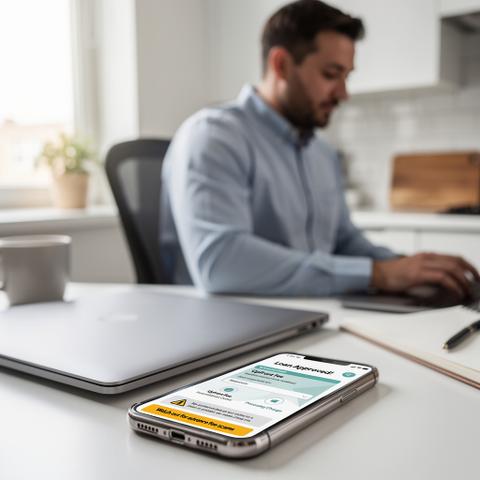
    Fake Loan Approval Scam: How to Avoid Upfront Fee Traps

    Fake Loan Approval Scam: How to Avoid Upfront Fee Traps

    Fake loan approval upfront fee scams pressure victims for quick payments. This guide gives immediate actions, proof checklists, reporting contacts, and recovery steps.

    Sextortion Email Scam: What to Do If You Receive One

    Sextortion Email Scam: What to Do If You Receive One

    Received a sextortion email? Stay calm. Don't pay: screenshot evidence, block sender, secure accounts, report to FBI IC3/FTC. Step-by-step plan to protect yourself and recover.

    Business Email Compromise Scam: What Small Businesses Should Do

    Business Email Compromise Scam: What Small Businesses Should Do

    U.S. small business guide to Business Email Compromise (BEC) scams. Immediate actions, evidence checklists, reporting channels, recovery steps, and security tips to minimize financial harm.

    Fake Invoice Scam for Small Businesses: How to Verify Bills

    Fake Invoice Scam for Small Businesses: How to Verify Bills

    U.S. small business guide to fake invoice scams: verify bills immediately, preserve evidence, secure accounts, report fraud via FTC/IC3, and explore money recovery options.

    Lottery and Sweepstakes Scam: How to Avoid Fake Prize Claims

    Lottery and Sweepstakes Scam: How to Avoid Fake Prize Claims

    Guide to avoiding lottery sweepstakes scams: recognize fake claims, act fast if targeted, preserve proof, protect accounts, report fraud, and seek recovery options.

    Charity Scam: How to Donate Safely After Disasters

    Charity Scam: How to Donate Safely After Disasters

    Guide to spotting charity scams after disasters. Verify charities, take immediate steps, save proof, recover money, secure accounts, and report to FTC/IC3 safely.

    Starter checklists

    Lock down your main account

    • Change the password to a long unique passphrase.
    • Turn on two-factor authentication (prefer an app, not SMS).
    • Update recovery email and phone number.
    • Review active sessions and sign out unknown devices.
    • Save backup codes in a password manager or printed copy.

    If you suspect a scam message

    • Do not click links, do not call back the number in the message.
    • Open the official app or website yourself in a new tab.
    • Verify with the company's published support number.
    • If you already shared OTP or card details, freeze the card and call your bank now.
    • Report the message to your country's cyber-crime portal.

    General safety information only — not legal or law-enforcement advice. If you have lost money or your identity is being misused, contact your bank, card issuer, and your local cyber-crime authority immediately.

    Related sections