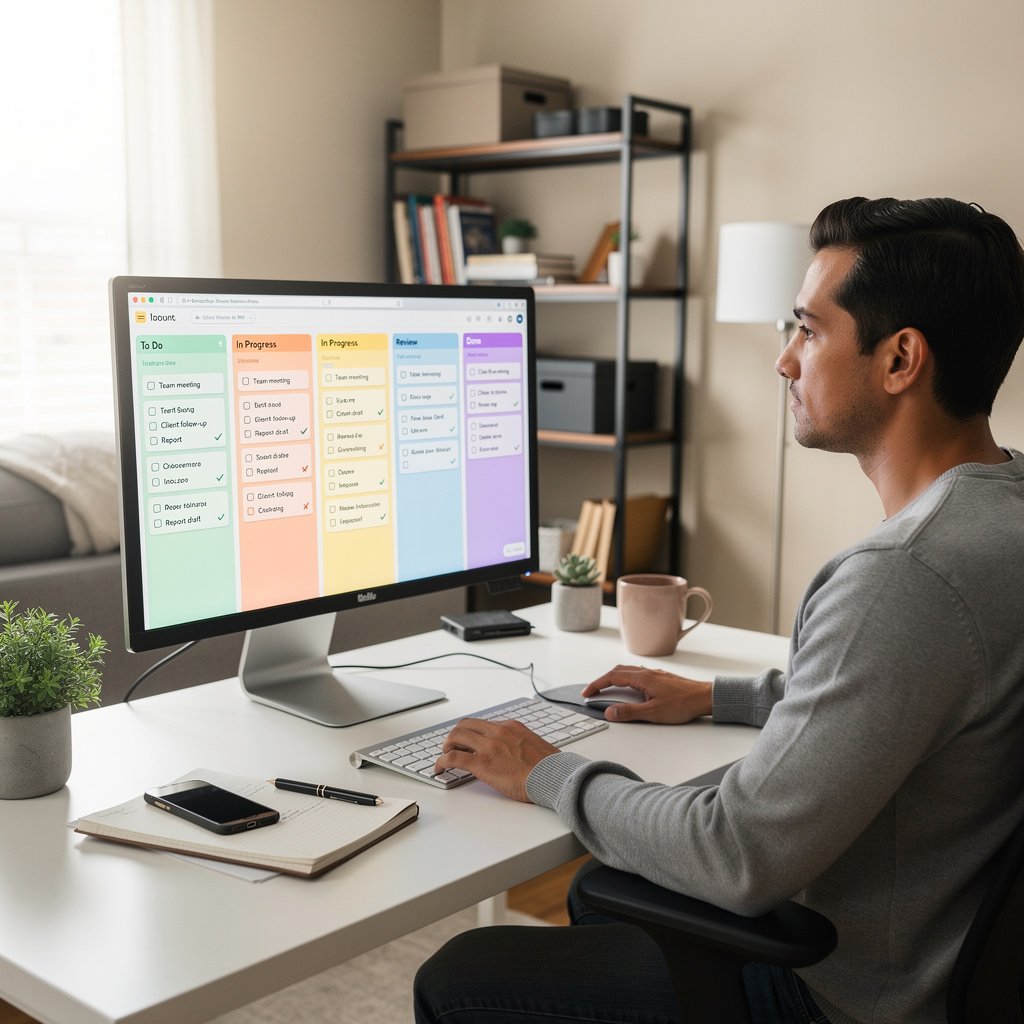
Trello Boards checklist for work from home employees
Why Trello Boards Boost Work-from-Home Productivity
Work-from-home setups in the US often mean juggling deadlines, virtual meetings, and household distractions without a traditional office structure. Trello, a free visual board tool, helps by turning your tasks into movable cards, checklists, and boards tailored to remote routines. Many US remote workers use it to track everything from daily to-dos to quarterly goals, reducing mental overload.
This guide provides a complete Trello boards checklist for work-from-home employees. Follow these steps to set up boards that organize your day, prioritize tasks, communicate status, and prevent burnout. You can implement the basics today with Trello's free plan, available at trello.com.
Step 1: Set Up Your Core Workspace
Start with a single master board called "WFH Daily Hub" to centralize everything. This avoids app overload, a common issue for US freelancers and employees managing multiple tools.
Create the Board
- Sign up or log in to Trello.
- Click "Create new board" and name it "WFH Daily Hub".
- Set visibility to private unless sharing with a team.
Build Essential Lists
Add these five core lists as columns. Drag cards between them to show progress visually:
- To Do: Incoming tasks.
- Today: High-priority items for the day.
- In Progress: Active work.
- Waiting: Items needing input from others.
- Done: Completed tasks, archived weekly.
Pro tip: Limit "Today" to three to five cards to match realistic US workdays of 7-8 hours.
Customize Power-Ups
Enable these free power-ups for remote efficiency: - Calendar: View due dates in a calendar view. - Card Aging: Fades inactive cards to spot stalls. - Custom Fields: Add priority levels (High, Medium, Low).
Daily Checklist: Morning Kickoff Routine
Use a dedicated "Daily Routine" card on your master board with this embedded checklist. Review it first thing, around 8-9 AM ET or PT, to align with US time zones.
Morning Setup Checklist
- [ ] Log morning status: Add a comment like "Starting at 8:30 AM ET. Top priorities: Client report, team sync."
- [ ] Review inbox: Move emails to Trello cards (forward via Trello email-to-board).
- [ ] Block calendar: Use Google Calendar integration to protect 90-minute focus blocks.
- [ ] Check team updates: Scan shared boards for mentions.
- [ ] Set "Today" list: Pull from "To Do", prioritizing by deadline or impact.
This routine takes 10 minutes and sets a clear remote work rhythm, helping avoid the "where do I start?" fog.
Task Management Checklist for WFH Employees
Trello shines for breaking down US remote work tasks like reports, client calls, and admin. Create cards with due dates, labels (e.g., "Urgent", "Client"), and checklists.
Sample Task Card Checklist
For a "Quarterly Report" card:
- [ ] Gather data from shared drive.
- [ ] Draft outline in Google Docs (attach link).
- [ ] Review with manager (assign card to them).
- [ ] Incorporate feedback.
- [ ] Final proofread.
- [ ] Submit via email/Slack, mark Done.
US remote tip: For hybrid teams, add labels like "EST Deadline" to handle cross-time-zone handoffs.
Weekly Review and Planning Checklist
End each week, say Friday afternoons, with a "Weekly Review" board or recurring card. This prevents weekend bleed, crucial for WFH boundary-setting.
Weekly Checklist
- Archive Done: Clear completed cards to keep boards fresh.
- Review Waiting: Ping owners politely, e.g., "Quick check: Any update on the vendor quote?"
- Plan next week: Move top tasks to a "Next Week" list.
- Log wins: Note achievements in a "Wins" card for performance reviews.
- Assess load: If over 40 hours planned, defer low-impact items.
Burnout safeguard: Cap weekly cards at 25-30 to respect FLSA overtime rules for non-exempt US workers.
Project Boards for Bigger Initiatives
For ongoing projects like product launches or campaigns, create separate boards linked from your master hub. Use a template board to standardize.
Project Board Structure Checklist
- Lists: Backlog, Sprint 1, Sprint 2, Review, Done.
- Cards per list: 5-10 max for focus.
- Attachments: PDFs, screenshots from Zoom meetings.
- Members: Invite collaborators with @mentions.
- Due dates: Set reminders 24 hours before.
Example for US freelancer: A "Client Website Redesign" board with checklists for wireframes, dev handoff, and QA testing.
Team Collaboration Checklist in Trello
Remote US teams rely on clear status without constant Slack pings. Share boards for transparency.
Sharing and Communication Checklist
- [ ] Invite team: Use email invites, set to "View & Edit".
- [ ] Weekly status card: "This Week's Updates" with bullet comments.
- [ ] Comment etiquette: Keep short, e.g., "Revised attached. Feedback by EOD?"
- [ ] Notifications: Mute non-essentials via bell icon.
- [ ] Butler automation: Auto-assign cards on labels like "Needs Review".
Script for manager update: "Moved Q2 goals to In Progress. Checklist 60% done, blocking item: budget approval."
Communication-Focused Boards
Build a "Team Comms" board for remote clarity, reducing email chains.
Comms Board Lists
- Announcements: Company news.
- Meeting Notes: Post-Zoom recaps with action items.
- Feedback: Anonymous cards for suggestions.
- Onboarding: New hire checklists.
Daily standup alternative: A "Daily Check-In" card where everyone adds one update.
Focus and Distraction Control Checklist
WFH distractions like deliveries or family interrupt flow. Use Trello to block time and track focus.
Anti-Distraction Setup
- [ ] Focus labels: Color-code "Deep Work" cards.
- [ ] Time estimates: Add to cards, e.g., "2 hours".
- [ ] Pomodoro cards: Recurring "25-min Focus" with checklists.
- [ ] End-of-day review: Note distractions for next day fixes.
Routine: Time-block 9-11 AM for high-focus tasks, no notifications.
| WFH Distraction | Trello Fix Checklist |
|---|---|
| Household interruptions | Create "Quiet Hours" label, share calendar link on board. |
| Endless email | Forward to board, set "Email Zero" card daily. |
| Slack overload | Mirror key channels via Power-Up, mute rest. |
| Forgotten follow-ups | "Waiting" list with auto-reminders via Butler. |
| Scope creep | Priority fields: High/Med/Low, review mornings. |
Meeting Management Checklist
US remote meetings eat time. Prep with Trello to shorten them.
Pre-Meeting Card Checklist
- [ ] Agenda: List topics, time per item.
- [ ] Attendees: Assign cards.
- [ ] Prep materials: Attach docs.
- [ ] Post-meeting: Move actions to master board.
Hybrid tip: For in-office days, duplicate cards to a "Office Day" board.
File and Note Organization in Trello
Attach Google Drive/Dropbox links directly to cards. No more "where's that file?"
Organization Checklist
- [ ] Naming: "ClientX-Report-Draft-v2.pdf".
- [ ] Folders: Use board labels for categories.
- [ ] Version control: Comment links to latest.
Burnout Prevention Checklist
Organize to unplug. Trello's visuals show when you're overloaded.
Weekly Boundary Check
- [ ] Hours logged: Use time-tracking Power-Up.
- [ ] Shutdown ritual: 5 PM card - "Log off checklist": Close tabs, review tomorrow's top 3.
- [ ] Breaks: Schedule "Walk" cards mid-morning/afternoon.
- [ ] No after-hours: Set board to read-only outside 9-5.
Message to team: "Heads up, signing off at 5 PM ET. Will check Waiting list tomorrow."
Advanced Trello Workflows for Remote Pros
Once basics click, layer in automations.
Butler Automation Checklist
- Auto-move Done cards to archive.
- Notify on overdue.
- Duplicate weekly planning card.
Mirror boards: Sync master to phone app for on-the-go checks.
Sample Full-Day WFH Schedule in Trello
Visualize your day with a "Sample Schedule Board".
Morning (8-12 PM)
- 8:00: Routine checklist.
- 8:30-10: Focus block (2 cards).
- 10-10:15: Break card.
Afternoon (12-5 PM)
- 12-1: Lunch (no cards).
- 1-3: Meetings/projects.
- 3-4: Admin/Wating follow-ups.
- 4-5: Review and plan.
Common Mistakes and Fixes
Avoid these WFH Trello pitfalls:
- Too many boards: Stick to 3-5 max. Fix: Link via card descriptions.
- Overloading cards: Limit checklists to 10 items. Fix: Sub-boards.
- Ignoring mobile: Test app views. Fix: Simplify labels.
- No reviews: Weekly ritual or boards clutter. Fix: Automate archives.
- Team silos: Unshared boards cause duplicates. Fix: Central hub.
| Mistake | Quick Trello Fix |
|---|---|
| Card bloat | Split into sub-checklists or new cards. |
| Missed deadlines | Enable Calendar Power-Up, set alerts. |
| Poor visibility | Use color labels: Red=Urgent, Green=Low. |
| No progress tracking | Add start/end dates to custom fields. |
| Burnout from overload | Weekly "Capacity Check" card: List vs. hours. |
Templates to Copy Today
Trello has public templates, but customize these for US WFH:
- Daily Planner: Lists as above.
- Remote Team Kanban: For contractors.
- Freelance Pipeline: Prospects to invoiced.
Search "remote work" in Trello's template gallery and tweak.
Scaling for Freelancers and Small Businesses
US freelancers bill by project. Use "Pipeline" boards:
- Leads > Proposal > Contract > Delivery > Paid.
Attach invoices, track 1099 prep.
For small teams, organization-wide workspaces (paid, $5/user/month) centralize boards.
Integration Checklist for Seamless Workflow
Connect Trello to US staples:
- Slack: Post updates.
- Google Workspace: Calendar, Drive.
- Outlook: If corporate.
- Zapier: Free tier for email automations.
Verify integrations at trello.com/integrations.
Long-Term Success Habits
- Monthly audit: Archive old boards.
- Share your setup: Get team buy-in.
- Adapt: If hybrid returns, add "Office Tasks" lists.
Key metric: If your "Waiting" list shrinks and "Done" grows, it's working.
This Trello checklist turns chaotic WFH into structured wins. Start with the master board today, and adjust as your routine evolves. Your productivity will feel sustainable, not forced.

About the TDL Expert Panel
TDL Expert Panel · TheDigitalLife Editorial Team
TDL Expert Panel is the editorial team behind TheDigitalLife. The team researches, reviews, and creates practical guides to help everyday readers make better decisions about home repair costs, refunds, AI tools, digital safety, productivity, and useful online resources. Each guide is written to be clear, useful, and easy to understand.