
Learn New Skills with AI: A Beginner's Guide
Learning a new skill can feel intimidating. There's so much information out there, and it’s hard to know where to start or how to stay motivated. Fortunately, artificial intelligence (AI) has become a powerful new ally for anyone wanting to learn. These smart tools can explain things, create custom practice, and guide you at your own pace.
This guide is for you, the everyday learner-whether you’re a student, a professional looking to upskill, or a curious hobbyist. We will walk you through how to use AI effectively and ethically to support your journey. It's not about replacing your effort, but about making your learning more efficient and engaging. Let’s explore how these tools can work for you.
AI acts as a personal tutor and practice partner to help you learn new skills. It can explain concepts in simple terms, answer your questions, and create custom exercises for you. Remember, it’s a tool to support your own hard work, not a shortcut to instant mastery.
This article covers: - How AI is changing the learning lands
This article covers:
- How AI is changing the learning landscape
- Who benefits most from AI-assisted learning
- A practical step-by-step guide for learning with AI
- Free AI tools you can start using today
- Common mistakes to avoid
- How to use AI ethically in your learning
| Item | Detail |
|---|---|
| Typical Cost | Many powerful AI learning tools are available for free. |
| Best First Contact | Start with a versatile, free AI assistant (like ChatGPT or Google Gemini) to explore your topic. |
| Main Safety Warning | Always cross-reference critical information from AI with reliable human-vetted sources, as AI can sometimes be inaccurate. |
| When to Call a Professional | Use AI for learning and skill-building, but rely on human professionals (teachers, mentors, licensed experts) for formal credentials, nuanced feedback, and hands-on training. |
Who should I contact first
- Who should I contact first? Start by exploring a free conversational AI assistant to understand your topic and create a learning plan.
- What will it cost? Many core AI learning tools are free. Advanced features on some platforms may require a paid subscription.
- What proof is needed for a warranty? This concept does not apply to general learning tools. For academic work, your proof of learning is your own understanding and ability to apply knowledge.
- What are the warning signs? Be wary of over-relying on AI for answers, copying without understanding, and failing to verify important information.
- When should I avoid DIY? Avoid using AI as a sole source for learning critical, high-stakes skills (like medical procedures) that require certified human instruction and supervised practice.
| Main Customer Question | Best First Contact | Estimated Cost Range | Safety Warning | Important URLs / Contacts |
|---|---|---|---|---|
| How do I start learning a new skill with AI? | Free AI Assistant (e.g., ChatGPT, Google Gemini) | Free for core tools; paid tiers for advanced features | AI can provide incorrect or outdated info. Verify critical facts. | Official tool websites (e.g., openai.com, deepmind.google/gemini) |
The most exciting aspect of learning with AI is the accessibility. A wide array of powerful AI tools that can support your learning are available at no cost. This includes conversational assistants, language learning apps with AI features, writing assistants, and code learning platforms.
Many of these tools offer free versions or tiers that provide substantial functionality. Paid upgrades or subscriptions typically offer more advanced features, higher usage limits, or access to the latest AI models. The "cost" of using AI for learning is primarily your time and dedicated effort, not a financial outlay.
Learning with AI is fundamentally a "DIY" activity for skill development. It empowers you to guide your own education at your own pace. The "tools" you need are an internet connection and a willingness to experiment with different AI applications.
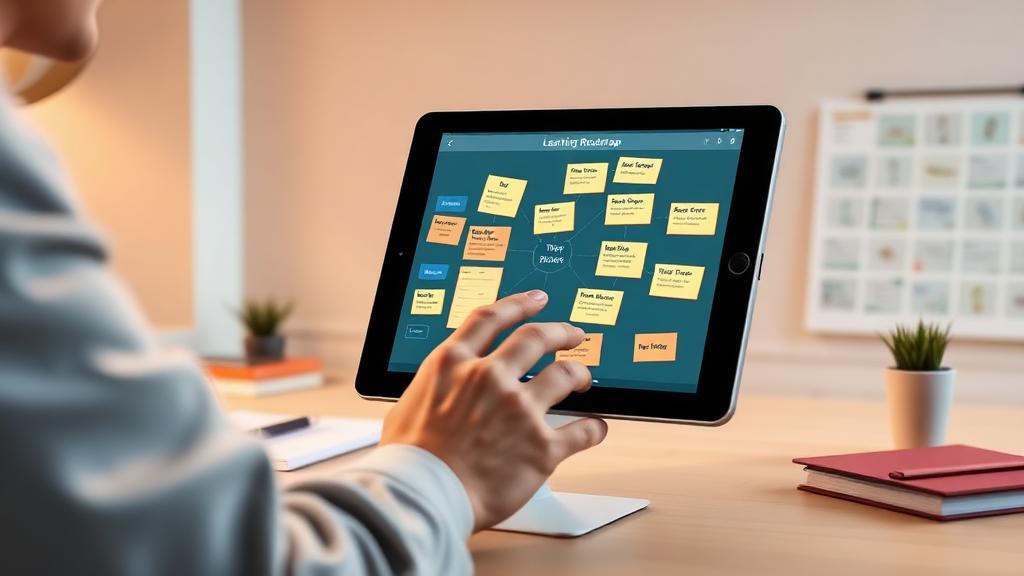
DIY Is Usually Safe Only If: You are using AI to supplement your learning, verify its information, and actively practice the skills it teaches.
However, there is a clear line for when you must involve a "professional"-a human expert. AI cannot replace certified instructors, mentors, or hands-on trainers for skills requiring physical practice, accredited certification, or nuanced human judgment. For example, learning surgery, electrical work, or therapy techniques from AI alone is unsafe and ineffective. In these cases, professional, supervised training is non-negotiable.
Your first point of contact isn't a person, but a tool. Begin your learning journey by interacting with a free, general-purpose AI assistant. These platforms are designed to answer questions, explain concepts, and help you structure your learning from day one.
For subject-specific guidance, move to dedicated AI-powered learning platforms in your area of interest, such as language apps (Duolingo, Memrise) or coding sites (Codecademy, freeCodeCamp). Your secondary "contact" should be human: seek out teachers, mentors, or online communities related to your skill for feedback and encouragement that AI cannot provide.
Since you are using software tools, your contacts are the official websites and support channels for those services. Always use the official app stores or websites to access tools.
- Conversational AI: OpenAI (ChatGPT), Google (Gemini)
- Language Learning: Duolingo, Memrise
- Writing Assistance: Grammarly, Hemingway Editor
- Code Learning: Codecademy, freeCodeCamp
- Educational Platforms: Khan Academy, Coursera
Refer to the official privacy policies and terms of service on these sites to understand how your data is used.
The concept of a "warranty" does not apply to the knowledge you gain. Your "proof" of learning is your own demonstrated understanding and skill. In academic or professional settings, if you use AI assistance, transparency is key.
- Understand the Policy. Check your school, university, or employer's official policy on AI tool usage for assignments or work.
- Cite Your Assistance. If allowed, be honest about how you used AI (e.g., for brainstorming, editing, or generating practice problems).
- Retain Your Original Work. Keep drafts and notes that show your thought process and learning journey.
- Be Prepared to Demonstrate Knowledge. The ultimate test is your ability to explain and apply what you've learned without AI help.
State-Specific or Local Checks
For general skill learning, there are no state or local agencies to check. However, if you are pursuing a skill that leads to a licensed profession (e.g., contractor, electrician, nurse), you must follow the official certification path.
This always involves checking with your state's professional licensing board or relevant accrediting body. They will have the definitive requirements for education, supervised hours, and examinations that AI cannot fulfill.
While many tools are free, you might consider a paid subscription for enhanced features. Before you pay, ask these questions:
- What specific features do I get with the paid plan that I don’t get for free?
- Is there a free trial period to test the advanced features?
- How does this tool protect my privacy and data?
- Can I cancel the subscription easily, and what is the refund policy?
- Are there reputable reviews or case studies showing this tool's effectiveness for learning?
Be cautious and reconsider your approach if you notice these warning signs in your learning process:
- You are copying AI-generated answers or code without trying to understand them.
- You feel you no longer need to consult books, videos, or human experts because AI has all the answers.
- You are using AI to complete academic assignments without checking if it's permitted.
- You are learning a hands-on skill solely through AI explanations without any physical practice.
- The AI provides information that contradicts known, reliable sources, and you ignore the discrepancy.
Practical Step-by-Step Guidance
Follow this structured approach to integrate AI into your learning effectively.

Step 1: Define Your Goal Clearly Start with a specific target. Instead of "learn Spanish," try "learn how to hold a basic 5-minute conversation in Spanish." Tell the AI your goal and your starting point so it can tailor its help.
Step 2: Get a Structured Learning Path Ask AI to break your big goal into small, weekly steps. For example: "Create a 4-week plan for a beginner to learn the basics of portrait photography, one hour a day."
Step 3: Deepen Your Understanding When you hit a confusing concept, ask AI to explain it in different ways. Use prompts like, "Explain how a mortgage works like I'm 12 years old," to get simple, relatable explanations.
Pro Tip: Always ask for examples. Concrete examples make abstract ideas much easier to grasp and remember.
Step 4: Practice with Custom Exercises Knowledge sticks when you use it. Ask AI to generate practice problems tailored to your level. "Give me 10 practice sentences to translate into French using the past tense" is a great way to apply a grammar lesson.
Step 5: Get Feedback on Your Work Submit your writing, code, or project ideas to an AI tool for constructive criticism. Ask it to check for errors, clarity, and structure. Remember, this feedback is a starting point for your own revision.
Step 6: Review and Reinforce Regularly Use AI to create review materials from your notes. Ask it to "create a quiz with 10 questions from my notes on World War II causes" to test your memory and solidify knowledge over time.
Frequently Asked Questions
Can AI replace human teachers? No. AI is a powerful tool for explanation and practice, but it lacks the empathy, mentorship, and nuanced understanding of a student's individual challenges that a human teacher provides. Think of AI as a tutor, not a replacement for the classroom.
How accurate is AI information? AI can be very accurate, but it is not perfect. It can sometimes generate incorrect or outdated information, known as "hallucinations."
Do Not Ignore: Always verify critical facts, especially for academic or professional use, with trusted, human-vetted sources like textbooks or reputable websites.
Is using AI for homework cheating? It depends on your institution's rules. Many schools are creating specific AI policies. Some may allow it for brainstorming or editing, while others may forbid it for generating final answers. Always check your school's academic integrity policy first and be transparent.
What if I don't know where to start? Pick one small skill or topic. Then, go to a free AI assistant and simply ask: "I'm a complete beginner who wants to learn about gardening. Where should I start?" Let the AI guide your first steps.
How can I make sure I'm really learning? Focus on active application. After AI explains something, close the chat and try to explain it in your own words. Do practice problems without help. Your ability to perform the skill independently is the true measure of learning.
Are there privacy concerns? Yes. Be mindful of the personal or sensitive information you share with AI tools. Assume your conversations may be reviewed to improve the AI. Read privacy policies and avoid sharing confidential data.
The information in this guide is based on the current capabilities and common uses of publicly available AI educational tools as of its writing. The landscape of AI changes rapidly.
Always re-check the specific terms of service, privacy policies, and pricing for any AI tool you use, as these are updated by the companies. For skills leading to professional licensure, always verify requirements with the official state or national licensing board. Your most valuable resource is your own critical thinking paired with these innovative tools.
AI offers an incredible opportunity to make learning more personalized and accessible. Embrace it as a guide and a practice partner. However, the core of skill development remains your dedication, critical thinking, and consistent practice.
Use AI to support your journey, but take full ownership of your growth. Verify important information, seek human feedback, and enjoy the process of building lasting, genuine knowledge.

About the TDL Expert Panel
TDL Expert Panel · TheDigitalLife Editorial Team
TDL Expert Panel is the editorial team behind TheDigitalLife. The team researches, reviews, and creates practical guides to help everyday readers make better decisions about home repair costs, refunds, AI tools, digital safety, productivity, and useful online resources. Each guide is written to be clear, useful, and easy to understand.