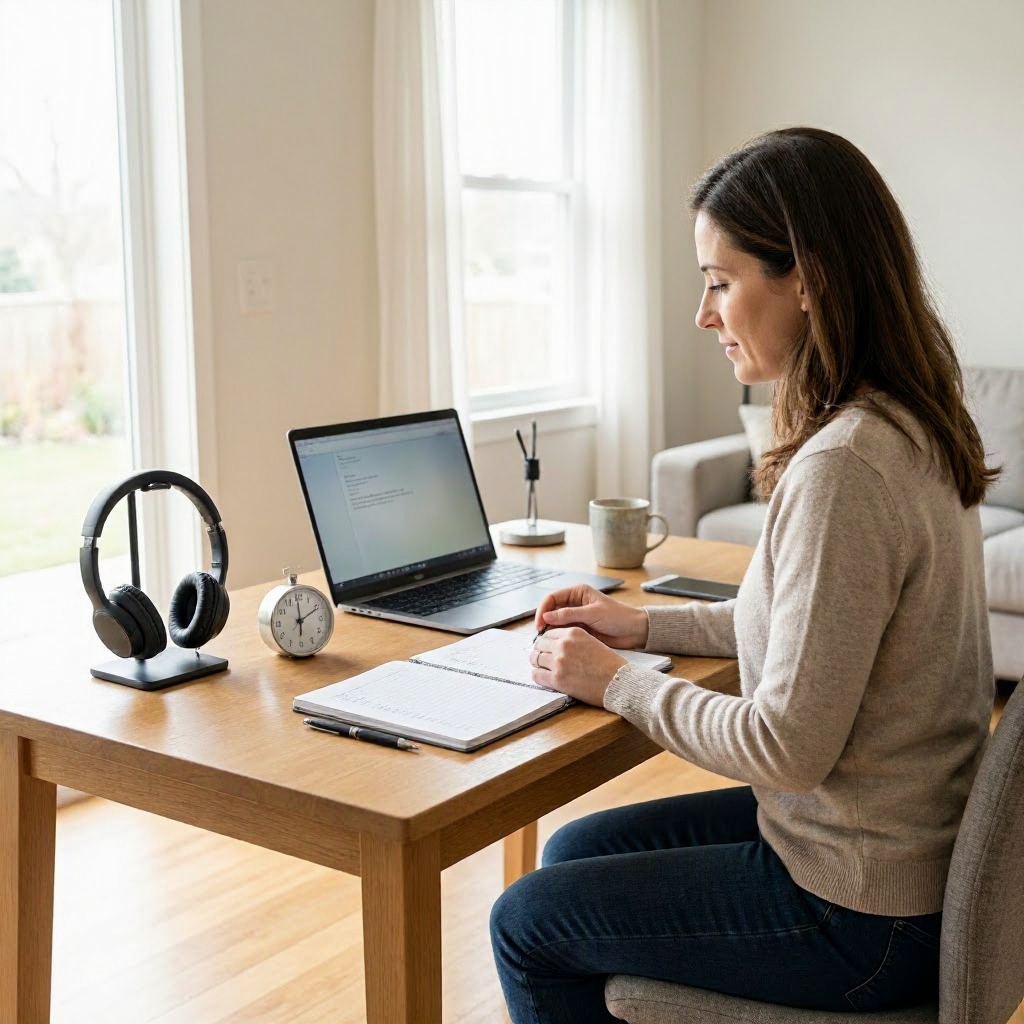
Deep Work Routines checklist for work from home employees
---
Understanding Deep Work for Work-from-Home Employees
Deep work involves focused, uninterrupted sessions on your most important tasks. Coined by productivity expert Cal Newport, it counters the constant distractions of remote work, like email pings, household chores, or family interruptions. For U.S. work-from-home employees, mastering deep work routines boosts output without extending hours, helping you meet deadlines for clients or managers while protecting evenings for personal life.
In a typical American remote setup, you might juggle Zoom calls, Slack messages, and deliverables for a company in New York while living in Texas. Deep work routines carve out protected time for high-value work, such as writing reports, coding features, or analyzing data. This checklist guides you through building sustainable routines tailored to home offices, reducing burnout common in remote roles where boundaries blur.
Expect to spend 1-2 weeks tweaking these steps. Start small: pick one section today, like morning prep, and track your focus with a simple notebook.
Why Deep Work Routines Transform Remote Productivity
Remote workers in the U.S. often face unique distractions: pets barking during calls, laundry tempting mid-task, or news alerts from your phone. Studies show focused work can increase productivity by up to 40%, but without routines, you default to shallow tasks like checking inbox every 10 minutes.
Deep work routines help by:
- Prioritizing cognitively demanding work first.
- Scheduling fixed blocks to signal "do not disturb" to family or colleagues.
- Building recovery habits to sustain energy through 9-to-5 shifts.
For freelancers billing hourly or salaried employees hitting OKRs, these routines mean finishing a project proposal in two hours instead of all day. They align with U.S. labor norms under the Fair Labor Standards Act, emphasizing efficient work without overtime unless exempt.
Your Home Workspace Setup Checklist
A distraction-free environment is non-negotiable for deep work at home. Dedicate 30 minutes this week to optimize.
- Choose a fixed workspace: Pick a quiet corner away from high-traffic areas like the kitchen. Use a desk, not the couch, to cue your brain for work mode. If space is tight in your apartment, set up in a spare bedroom or use room dividers from stores like Target.
- Minimize visual clutter: Clear your desk to hold only your computer, notebook, water bottle, and one notepad. Store files digitally or in closed drawers.
- Control lighting and ergonomics: Position near natural light but avoid glare on screens. Invest in a $20-50 adjustable lamp from Amazon. Use a chair with lumbar support; check OSHA guidelines for home office ergonomics at osha.gov to prevent strain.
- Soundproof lightly: White noise machines or fans block neighbor noise. For shared homes, post a "Deep Work in Progress" sign on your door.
- Tech hygiene: Charge devices overnight. Use a dedicated work laptop if possible to separate from personal use.
Test your setup: Sit for 25 minutes with a timer. Note interruptions and fix them before deep sessions.
Morning Preparation Checklist: Prime Your Day for Focus
Start your workday with intention to front-load deep work. Aim for this routine 30-45 minutes before your first block.
- Wake and hydrate (6-7 AM): Drink 16 ounces of water upon waking. Avoid screens for the first 30 minutes; journal three priorities instead.
- Review tasks (10 minutes): Open your task list. Pick 1-3 deep work items using the Eisenhower matrix: urgent/important first. Example: "Finalize Q2 budget analysis before team sync."
- Plan blocks: Block 90-120 minutes for deep work in your calendar (Google Calendar or Outlook). Label as "Deep Focus - No Meetings" and set availability to busy.
- Body scan: Do 5 minutes of stretching or deep breathing. Apps like Calm offer free guided sessions.
- Signal boundaries: Text family or roommates: "Deep work from 8-10 AM; available after." Update Slack status: "Deep work until 10 AM."
- Fuel up lightly: Eat protein-rich breakfast like eggs or yogurt. Skip heavy carbs that cause crashes.
This prep shifts you from reactive email mode to proactive creator mode, ideal for remote marketers drafting campaigns or developers debugging code.
Scheduling Deep Work Blocks: The Core Workflow
Deep work thrives in 90-minute cycles matching ultradian rhythms. U.S. remote employees average 2-4 hours daily; build up gradually.
Block Types and Timing
- Morning prime (8-10 AM): Tackle your hardest task when willpower peaks.
- Midday recharge (1-3 PM): Lighter deep work post-lunch, like editing.
- Late afternoon (3-4:30 PM): Review or planning if energy holds.
Use calendar blocking:
- Color-code deep blocks red.
- Buffer 10 minutes before/after for transitions.
- Decline meetings in these slots politely: "Can we reschedule to Friday? I'm heads-down on the deliverable."
Sample daily schedule table for a 9-5 remote role:
| Time Slot | Activity | Notes |
|---|---|---|
| 7:30-8 AM | Morning prep checklist | Review tasks, hydrate |
| 8-9:30 AM | Deep work block 1 | High-priority task |
| 9:30-9:40 AM | Micro-break | Walk, stretch |
| 9:40-11 AM | Deep work block 2 | Secondary task |
| 11-11:30 AM | Shallow work | Emails, quick replies |
| 11:30 AM-12:30 PM | Lunch + walk | Step away from desk |
| 1-2:30 PM | Deep work block 3 | Creative or analytical work |
| 2:30-5 PM | Meetings, collab, wrap-up | Status updates |
| 5 PM | Shutdown routine | Log off fully |
Adjust for kids' school schedules or hybrid days commuting to an office.
During Deep Work: Focus Checklist
Enter the zone and stay there. Put this checklist on a sticky note by your monitor.
- Environment lock: Close all tabs except essentials. Use full-screen mode.
- Notifications off: Silence phone, Slack, email. Set Do Not Disturb on macOS or Focus mode on Windows/iOS.
- Pomodoro timer: Start a 90-minute countdown. Tools like Focus@Will or Tomato Timer work free.
- Single-task only: No multitasking. If stuck, note the blocker and move on.
- Body cues: Sit tall, feet flat. Sip water hourly.
- Exit ritual: When timer ends, stand, note progress: "Completed 80% of report draft."
For WFH parents, add a baby monitor app if needed, but keep it muted.
Real example: A Chicago-based graphic designer uses this to finish client logos in one block, avoiding fragmented afternoons.
Breaks and Recovery Checklist: Sustain Energy
Shallow breaks kill momentum; structured ones recharge. Follow the 52/17 rule loosely: work 52 minutes, break 17.
- Physical move: Walk outside or do 10 jumping jacks. Aim for 10,000 steps daily.
- No screens: Read a physical book or stare at nature.
- Snack smart: Nuts, fruit, not chips.
- Mind reset: Meditate 3 minutes or list three gratitudes.
- Hydrate and breathe: Drink water, do box breathing (4-4-4-4).
Post-lunch slump? Nap 20 minutes if your schedule allows, common in flexible U.S. remote jobs.
Afternoon and Communication Checklist
Handle shallow work without derailing deep routines.
- Batch emails/Slack (20 minutes x2 daily): Reply in themes: quick yes/no first.
- Status updates: Send one daily Slack/Teams message: "Today: Finished report. Tomorrow: Client call prep. Blockers: None."
- Meeting hygiene: Agenda-first emails. End early if possible.
- Delegate or defer: Ask: "Can you own this by EOD Friday?"
Script for manager check-in: "Quick update: Deep work complete on project X. Next priority is Y, unless you need Z first?"
End-of-Day Shutdown Checklist: Protect Boundaries
WFH burnout hits when work bleeds into nights. Ritualize logout.
- Task review (10 minutes): Move unfinished to tomorrow. Capture loose ends in notes.
- Calendar scan: Prep tomorrow's blocks.
- Digital detox: Close apps, log out. Use RescueTime to track accidentally long days.
- Physical signal: Change clothes, leave desk area.
- Reflect: Note one win, one tweak. Example: "Deep block productive; add fan for noise."
- Personal transition: Cook dinner or call a friend.
This honors U.S. cultural norms of work-life separation, even remotely.
Weekly Deep Work Review Checklist
Sunday evenings or Friday PM: 20 minutes to refine.
- Metrics check: Hours in deep work? Use Toggl or Clockify free tiers.
- Wins/blockers: What flowed? Kid interruptions? Adjust blocks.
- Tool audit: Still using one task app? Ditch extras.
- Load balance: Overloaded? Flag to manager: "Current priorities solid; new task pushes deadline."
- Reward: Plan non-work fun, like a hike.
Essential Tools for Deep Work Routines (Without Overload)
Stick to 2-3 tools max.
- Calendar: Google Calendar (support.google.com/calendar) for blocking. Share "busy" view with team.
- Task manager: Todoist or Microsoft To Do for simple lists. Review daily.
- Focus aids: Forest app plants virtual trees during blocks. Slack (slack.com/help) for status: "/dnd 2 hours".
- Notes: Notion or Evernote for session logs.
- Time tracking: RescueTime auto-logs distractions.
Verify features at official sites; free tiers suffice for most.
Common Mistakes to Avoid in WFH Deep Work
- Scheduling too many blocks: Start with one 90-minute daily.
- Ignoring energy dips: Track your peaks (mornings?) with a week-long journal.
- Vague tasks: Break "work on project" into "write section 3".
- No accountability: Share blocks with a work buddy for check-ins.
- Weekend creep: Strict shutdown prevents it.
Example pitfall: An Austin software engineer multitasked during "deep" time, yielding shallow results. Switching to rituals doubled output.
Sample Deep Work Templates for U.S. Remote Roles
Template 1: Marketing Specialist Daily Routine
- 8 AM: Prep (priorities: email campaign draft).
- 8:30-10 AM: Deep write.
- Break: Walk dog.
- 10:30-12 PM: Edits, A/B tests.
- PM: Meetings.
Template 2: Freelance Writer Weekly
Monday-Wednesday: 2 deep blocks mornings. Thursday: Review submissions. Friday: Client pitches.
Customize in Google Docs; print for desk reference.
Hybrid Worker Adjustment
Commute days: Shift deep blocks to evenings if office drains you.
Advanced Workflow: Integrating Deep Work with Team Tools
For collaborative remote teams:
- Use shared calendars for visibility.
- Document deep time in Asana or Trello: "In deep mode on feature spec."
- Post-block updates: "Delivered draft; feedback?"
This fits U.S. agile teams without constant pings.
Measuring Success and Iterating
Track weekly: Deep hours vs. output. Aim for 10-15 hours/week sustainably. If focus slips, revisit setup checklist.
Plateaued? Pair with accountability: Weekly coffee chat with a peer sharing routines.
Your Master Deep Work Routines Checklist
Print or pin this for daily use. Check off fully before ending work.
Prep (Morning)
- [ ] Hydrate, priorities listed
- [ ] Blocks scheduled
- [ ] Boundaries signaled
- [ ] Workspace ready
Blocks
- [ ] Notifications off
- [ ] Timer started
- [ ] Single task
- [ ] Progress noted
Breaks
- [ ] Moved body
- [ ] No screens
- [ ] Reset mind
Wrap-Up
- [ ] Tasks migrated
- [ ] Calendar prepped
- [ ] Logged off
- [ ] Reflected
Use this checklist to reclaim 2-4 hours weekly from distractions. Over time, deep work becomes habit, letting you excel remotely while enjoying U.S. home life: family dinners, weekend errands, or local parks.
(Word count: 2487) ---

About the TDL Expert Panel
TDL Expert Panel · TheDigitalLife Editorial Team
TDL Expert Panel is the editorial team behind TheDigitalLife. The team researches, reviews, and creates practical guides to help everyday readers make better decisions about home repair costs, refunds, AI tools, digital safety, productivity, and useful online resources. Each guide is written to be clear, useful, and easy to understand.